Trip Logbook Mileage Tracker App with CarPlay
If you're looking for a Mileage Tracker App that works with CarPlay, Trip Logbook is fully optimized for hands-free, accurate mileage tracking on your car's CarPlay screen.
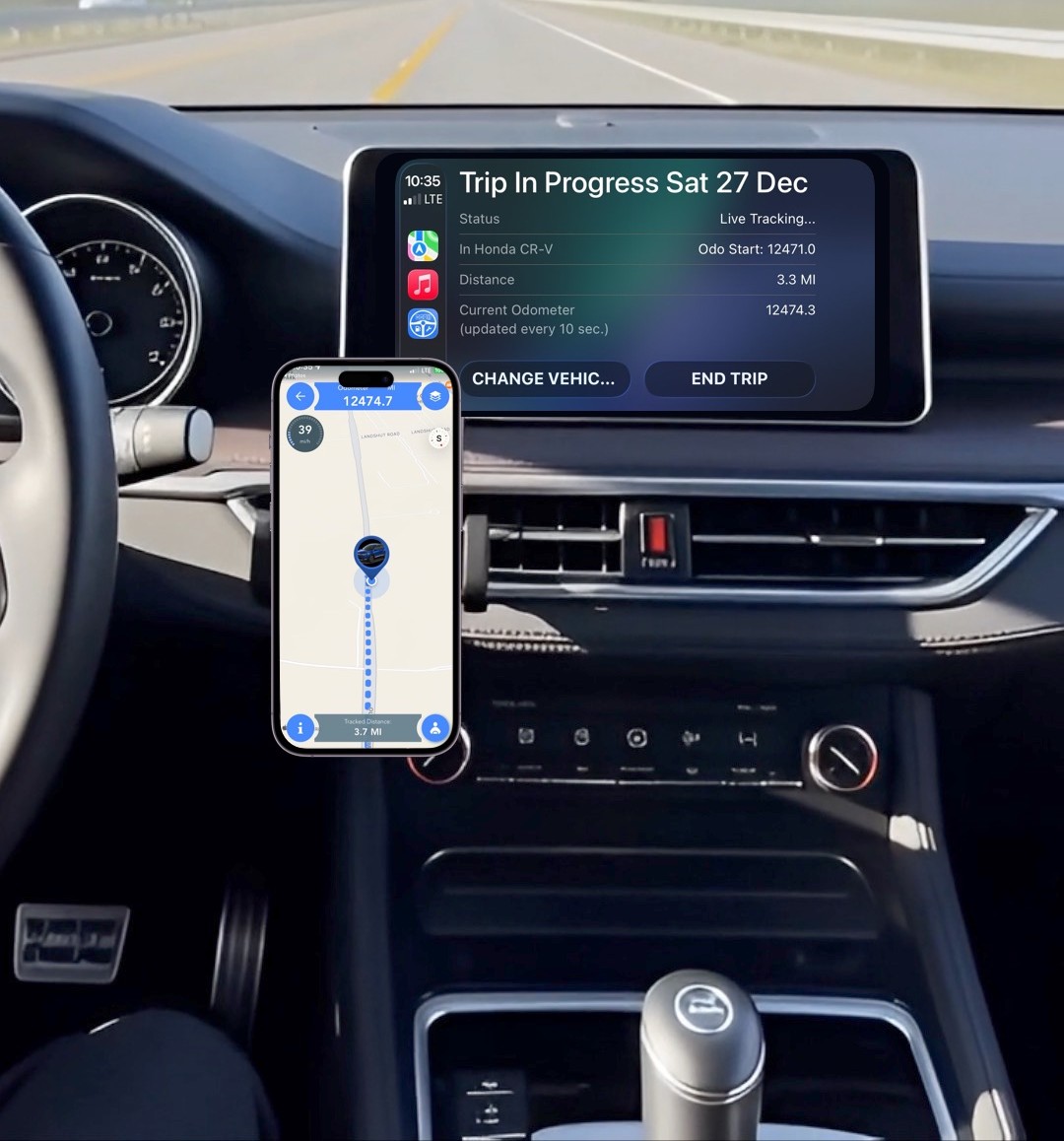
Use the Trip Logbook Mileage Tracker CarPlay app on your car's CarPlay console to control and monitor mileage tracking. You can start and stop mileage tracking with one tap.
Start Mileage Tracking Using CarPlay
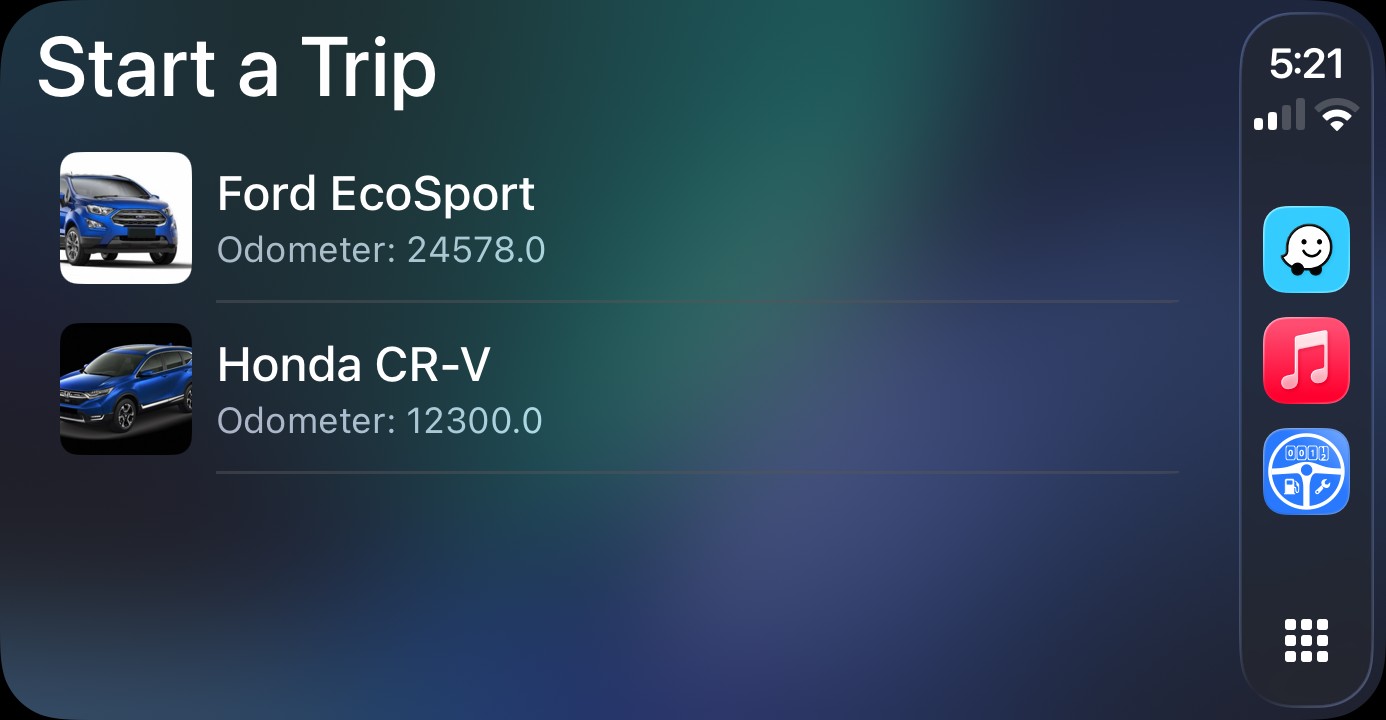
Open the Trip Logbook app on your vehicle's CarPlay console.
On the Start a Trip screen, tap your vehicle to start mileage tracking.
Align Mileage Using Voice Command
Activate the Update Odometer voice command (Siri) via the main menu in Trip Logbook on your iPhone.
Note: This is a one-time setup. Once activated, you can use the Siri voice command anytime.
Align the odometer reading with your vehicle using the voice command: "Hey Siri, Update ODO".
Monitor and End Mileage Tracking Using CarPlay
Using the Trip Logbook app on your vehicle's CarPlay console:
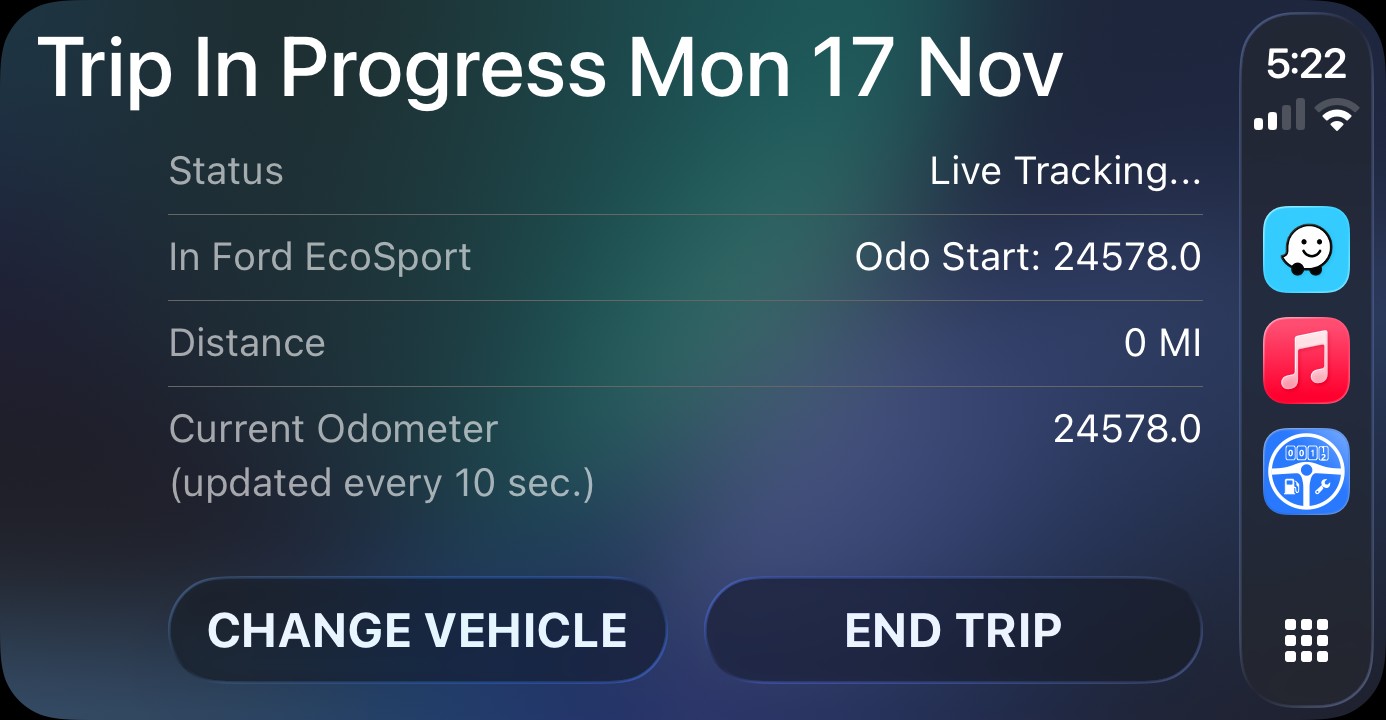
On the Trip In Progress screen, monitor details such as starting odometer and location, status, distance traveled, current odometer, and active vehicle.
Tap END TRIP to end mileage tracking and log the trip.
In one of your other vehicles? No problem. Simply tap CHANGE VEHICLE to transfer the current mileage tracking activity to the correct vehicle.
On Arrival, Align Mileage Using Voice Command
Upon arrival, do a quick check of the current odometer reading. If needed, align the odometer reading with your vehicle using the voice command: "Hey Siri, Update ODO".
Benefits of the Trip Logbook Mileage Tracker with CarPlay Support
Using the Trip Logbook Mileage Tracker CarPlay app to monitor mileage tracking:
- Ensures accurate recording of your trip
- Alerts you immediately if mileage tracking is interrupted
- Helps you keep your odometer reading aligned — even using Siri voice commands
This saves time by eliminating the need to capture missing mileage and trip details. Accurate mileage tracking means you can claim every cent due to you. It also supports a safer, hands-free driving experience. Keep your eyes on the road and your hands on the steering wheel.
Automate Mileage Tracking Using CarPlay
You can even automate your mileage tracking using Trip Logbook's CarPlay automations.
Automatically start mileage tracking when your iPhone connects to your vehicle's CarPlay console.
Automatically end mileage tracking when your iPhone disconnects from your vehicle's CarPlay console.
With Trip Liogbook's Zero Touch Logging feature all trip details can be instantly and accurately logged.
Try Trip Logbook
Download Trip Logbook in the US Apple App Store and start capturing compliant mileage today.
We offer a full-access 30-day free trial.
Tap or click here to download:
FAQ – Mileage Tracker App with CarPlay
Does Trip Logbook work with CarPlay?
Yes. Trip Logbook is a fully CarPlay-compatible mileage tracker app. You can start, monitor, and end mileage tracking directly on your car’s CarPlay screen.
Can I start mileage tracking using CarPlay?
Absolutely. On the Start a Trip screen, tap your vehicle to begin mileage tracking without touching your iPhone.
Can I monitor my trip progress on CarPlay?
Yes. The Trip In Progress screen on CarPlay displays your starting odometer, distance traveled, current odometer reading, trip status, and active vehicle.
Can I end a trip using CarPlay?
Yes. Simply tap END TRIP on CarPlay to log your mileage accurately.
Does Trip Logbook support Siri voice commands?
Yes. You can align your odometer hands-free using the Siri command: "Hey Siri, Update ODO".
Do I need to handle my iPhone while driving?
No. Trip Logbook is designed for safe, hands-free mileage tracking using CarPlay and Siri. You can keep your eyes on the road at all times.
Does CarPlay mileage tracking work for multiple vehicles?
Yes. If you're in a different vehicle, tap CHANGE VEHICLE on the CarPlay screen to switch the active trip to the correct vehicle instantly.